Join Our Community
Placement Oriented Batch

MERN Stack Development – Online Live Batch Details

Industry-Level MERN Stack Development from HTML and JavaScript to React, Node.js and MongoDB.
Build Real-World Projects including a major MERN industrial project.
Learn Industry-Standard Coding the way MERN developers work in real projects.
Interview Preparation with practical questions, coding tasks and mock interviews.

Fee: ₹11,999 ₹8,999 Save 25%
Special Discounts for Group Admissions & First 10 Students! Call us to know more.
4 Months Monday-Friday (Daily 2 Hours) Live Sessions Limited Seats
Live Classes VS Recorded Course
Call Us Now Chat on WhatsApp
Live Classes Projects Placement Support Interview Prep Coding Practice Industry Experts Certificates Doubt Sessions

MERN Stack Online Training - live coding session

Everything You Need to Succeed

Comprehensive Curriculum
Structured, industry-aligned syllabus from basics to advanced.
Experienced Professionals
Learn from industry experts with real-world experience.
Hands-on Practice
Code along live and practise every concept with guided exercises.
Placement Support
Resume, mock interviews and job referrals after completion.
Interview Preparation
Curated questions and mock sessions to build confidence.
Hands-on Coding
Daily coding assignments to sharpen problem-solving skills.
Project Creation
Build real-world MERN Stack projects for your portfolio.

Complete MERN Stack Curriculum

15 Modules
368 Topics
Live Sessions
Projects
Download PDF
01
Introduction to Web Development and HTML
21 Topics HTML
Introduction to web development and MERN Stack
Understanding frontend, backend and database
How websites and web applications work
Client-server architecture and HTTP
Introduction to browsers and web servers
Installing VS Code and setting up the development environment
Introduction to HTML and HTML document structure
HTML elements, tags and attributes
Headings, paragraphs and text formatting
Links and navigation
Images, audio and video
Ordered and unordered lists
HTML tables and table formatting
Forms and input types
Labels, buttons, checkboxes, radio buttons and dropdowns
Form validation attributes
Semantic HTML elements
Block-level and inline elements
HTML entities and comments
Accessibility and SEO-friendly HTML basics
Building a multi-page website using HTML
02
CSS Fundamentals and Responsive Web Design
25 Topics CSS
Introduction to CSS and its types
Inline, internal and external CSS
CSS selectors and combinators
Colors, backgrounds and gradients
Fonts, typography and text styling
CSS units: px, %, em, rem, vh and vw
CSS box model
Margin, padding, borders, width and height
Display property and element visibility
Positioning: static, relative, absolute, fixed and sticky
CSS overflow
Pseudo-classes and pseudo-elements
CSS specificity and inheritance
Box shadows and border radius
CSS variables and reusable styles
Introduction to Flexbox
Flex direction, alignment, wrapping and gap
Introduction to CSS Grid
Grid rows, columns and element placement
Flexbox vs CSS Grid
Media queries and mobile-first design
Responsive images, navigation bars, cards and forms
CSS transitions, transforms and basic animations
Browser developer tools and responsive debugging
Building a responsive portfolio website
03
Bootstrap 5 and Website UI Development
18 Topics Bootstrap
Introduction to Bootstrap 5
Adding Bootstrap using CDN
Containers, breakpoints, rows and columns
Bootstrap grid system and responsive layouts
Typography, colors and backgrounds
Spacing, sizing and display utilities
Buttons and button groups
Alerts, badges and progress bars
Cards and image styling
Navigation bars and responsive menus
Dropdowns and pagination
Forms and validation styles
Tables and responsive tables
Modals, accordions and collapsible sections
Bootstrap Icons
Customizing Bootstrap with CSS
Building responsive layouts for desktop and mobile
Creating a responsive business website using HTML, CSS and Bootstrap
04
JavaScript Fundamentals and Programming
27 Topics JavaScript
Introduction to JavaScript and its role in web development
Adding JavaScript to HTML
JavaScript syntax and comments
Variables using var, let and const
Primitive and non-primitive data types
Type conversion and type coercion
Operators and operator precedence
Conditional statements
Loops: for, while and do-while
break and continue statements
Functions, parameters and return values
Function expressions and arrow functions
Scope and hoisting fundamentals
Arrays and common array operations
Strings and string methods
Objects and object properties
Array and object destructuring
Spread and rest operators
Template literals
Callbacks and higher-order functions
map(), filter(), reduce() and forEach()
find(), findIndex(), some() and every()
Optional chaining and nullish coalescing
Error handling using try, catch and finally
Introduction to classes, constructors and this
Closures and prototypes fundamentals
Common JavaScript programming and coding problems
05
DOM Manipulation, APIs and Git & GitHub
30 Topics JavaScript & Git
Introduction to the Document Object Model (DOM)
Selecting elements using querySelector() and querySelectorAll()
Reading and modifying HTML content
Changing CSS styles and classList using JavaScript
Creating, inserting and removing DOM elements
Handling click, input, change and submit events
Event listeners and event objects
Event bubbling and event delegation
JavaScript form handling and client-side validation
Local storage and session storage
JSON.stringify() and JSON.parse()
Timers using setTimeout() and setInterval()
Synchronous and asynchronous JavaScript
Promises, promise chaining, async and await
JavaScript event loop fundamentals
Introduction to HTTP and HTTPS
HTTP methods and status codes
REST APIs and JSON data
Fetching API data using the Fetch API
Handling loading and error states
Testing APIs using Postman
Introduction to version control and Git
Git installation and configuration
git init, git status, git add and git commit
Understanding the working directory and staging area
Creating GitHub repositories and pushing code
git push, git pull, git fetch and git clone
Branching, merging and merge conflict resolution
Using .gitignore and writing README.md files
Building an interactive JavaScript project and uploading it to GitHub
06
React Fundamentals and Development Setup
16 Topics React.js
Introduction to React and component-based architecture
React vs traditional JavaScript and jQuery
Node.js and npm prerequisites for React
Creating React projects using Vite
Understanding the React project structure
JSX syntax and JavaScript expressions
Functional components
Importing and exporting components
Component composition and reusability
Rendering lists using map()
Using keys in React lists
Conditional rendering
React fragments
Organizing components and project files
Creating reusable buttons, cards and navigation components
Building a multi-component React application
07
React Props, State, Hooks and Events
24 Topics React.js
Understanding props and one-way data flow
Passing data between components
Props destructuring and default values
Introduction to React state
useState hook
Updating state correctly
Handling button clicks and form events
Controlled form components
Handling text inputs, checkboxes and dropdowns
Form submission and validation
Lifting state up
Sharing data between sibling components
State immutability
Updating arrays and objects in state
Introduction to React hooks and rules of hooks
useEffect fundamentals and dependency arrays
Effect cleanup functions
Fetching data using useEffect
Handling loading, success and error states
useRef for DOM access and mutable values
useContext for shared state
Creating simple custom hooks
Understanding component rendering and re-rendering
Building interactive forms and data-driven components
08
React Forms, API Integration and Routing
24 Topics React.js
Controlled and uncontrolled components
Handling multiple form fields
Form validation and error messages
Creating reusable form components
Introduction to Fetch API and Axios in React
Making GET, POST, PUT, PATCH and DELETE requests
Submitting form data to a backend API
Displaying API data in tables and cards
Search, filtering and sorting
Pagination fundamentals
Loading indicators, empty states and error handling
Retry functionality and refreshing data
Frontend environment variables using Vite
Introduction to client-side routing
Installing and configuring React Router
BrowserRouter, Routes and Route
Link and NavLink
Dynamic route parameters
Query parameters and search URLs
useNavigate and programmatic navigation
Nested routes and shared layouts
404 and not-found pages
Frontend protected route concepts
Building a multi-page React application with API integration
09
Node.js Fundamentals and Backend Development
27 Topics Node.js & Express.js
Introduction to Node.js and its features
JavaScript in the browser vs Node.js
Installing Node.js and npm
Understanding package.json
npm install, npm uninstall and npm scripts
Creating and running Node.js applications
CommonJS modules: require and module.exports
ES modules: import and export
Built-in modules: fs, path, os and events
Reading and writing files
Synchronous vs asynchronous operations
Callbacks, promises and async/await
Node.js event loop fundamentals
Environment variables using process.env
Using dotenv for local configuration
Error handling in Node.js
Creating a basic HTTP server
Handling request URLs and HTTP methods
Sending text and JSON responses
HTTP status codes and request-response lifecycle
Introduction to Express.js
Creating and running an Express server
Routing using GET, POST, PUT and DELETE
Route parameters and query parameters
Parsing JSON request bodies using express.json()
Sending JSON responses
Testing backend endpoints using Postman
10
Express.js, Middleware and REST API Development
23 Topics Express.js
Express request and response objects
REST API principles and resource naming
Designing REST API endpoints
GET, POST, PUT, PATCH and DELETE operations
Creating, reading, updating and deleting resources
Request body, route parameters and query parameters
HTTP status codes and consistent JSON responses
Request validation and error responses
Middleware fundamentals
Built-in, third-party and custom middleware
Application-level and router-level middleware
Using express.Router()
Centralized error-handling middleware
Handling 404 routes
CORS configuration
Serving static files using Express
Separating routes, controllers and services
Async route handlers and error handling
Pagination, sorting and filtering
Searching records using query parameters
Testing CRUD APIs using Postman
Writing basic API documentation
Building a task management REST API using Express
11
MongoDB Fundamentals and CRUD Operations
24 Topics MongoDB
Introduction to MongoDB and NoSQL databases
Relational databases vs document databases
Documents, collections and databases
BSON and JSON fundamentals
Installing MongoDB or creating a MongoDB Atlas account
Introduction to MongoDB Compass and mongosh
Creating databases and collections
Inserting documents
Finding documents using find() and findOne()
Filtering using query operators
Comparison and logical operators
Updating documents using updateOne() and updateMany()
Deleting documents
Projection and sorting
Limiting and skipping results
Working with arrays and embedded documents
ObjectId fundamentals
MongoDB aggregation framework introduction
Basic aggregation using $match, $group and $project
Embedding vs referencing documents
One-to-one and one-to-many relationships
Indexing fundamentals and unique indexes
Connecting MongoDB with a backend application
Practicing MongoDB CRUD operations
12
Mongoose ODM and Express-MongoDB Integration
20 Topics Mongoose (MongoDB)
Introduction to Mongoose ODM
Connecting Node.js and Express to MongoDB
MongoDB connection strings and environment variables
Creating Mongoose schemas
Defining Mongoose models
Schema types and default values
Required fields and validation rules
Creating documents using create() and save()
Reading data using find(), findOne() and findById()
Updating documents using Mongoose
Deleting documents using Mongoose
Schema validation and custom validation
Timestamps and automatic date fields
References and populate()
Handling duplicate key errors
Handling database connection errors
Asynchronous database operations
Separating database logic from route handlers
Implementing search, filtering and pagination
Building a complete CRUD API using Express, Mongoose and MongoDB
13
Connecting React with Express and MongoDB
16 Topics MERN Stack
Understanding complete MERN Stack architecture
Frontend-backend-database request flow
Organizing frontend and backend project folders
Configuring frontend and backend environments
Connecting React to Express REST APIs
Sending form data from React to the backend
Fetching and displaying MongoDB records
Implementing end-to-end CRUD operations
Handling loading, success and error states
Refreshing data after creating, updating or deleting records
Search, sorting, filtering and pagination
Managing API response formats
Configuring CORS correctly
Debugging frontend-backend integration issues
Managing API URLs through environment variables
Building a complete MERN Stack task management application
14
User Authentication, Authorization and Security
26 Topics MERN Stack
Authentication vs authorization
User registration and login workflow
Creating user schemas using Mongoose
Password hashing using bcrypt
Password verification during login
Creating and validating JSON Web Tokens (JWT)
Access tokens and token expiration
Authentication middleware in Express
Protecting backend API routes
Role-based access control fundamentals
Admin and regular user permissions
Managing authentication state in React
Protected frontend routes
Logout and token invalidation concepts
Local storage vs session storage vs HTTP-only cookies
Secure cookie fundamentals
Environment variables for database credentials and secrets
Input validation and sanitization
Preventing NoSQL injection
CORS and origin restrictions
Rate limiting fundamentals
Secure HTTP headers using Helmet
Avoiding sensitive data in API responses
Safe error handling and authentication error messages
Basic file upload handling using Multer
Introduction to backend security best practices
15
Testing, Deployment, Major Project and Placement Preparation
47 Topics Deployment & Projects
Introduction to software testing and debugging
Manual API testing using Postman
Testing CRUD operations and validation scenarios
Introduction to unit and integration testing
Basic JavaScript testing using Jest or Vitest
React component testing fundamentals
Debugging React applications using browser developer tools
Debugging Node.js and Express applications
Code formatting using Prettier
Linting using ESLint
Writing maintainable and reusable code
Preparing React applications for production
Building production bundles using Vite
Deploying frontend applications
Deploying Node.js and Express applications
Provisioning MongoDB Atlas for production
Configuring production environment variables
Connecting deployed frontend and backend applications
Configuring production CORS and HTTPS
Managing deployment logs and common errors
Domain names and DNS fundamentals
Introduction to CI/CD concepts
Selecting a real-world major project and defining requirements
Creating wireframes and planning application features
Developing responsive interfaces using React and Bootstrap
Designing MongoDB collections and Mongoose schemas
Implementing CRUD functionality and REST APIs
Implementing registration, login and role-based authorization
Adding search, filtering and pagination
Implementing form validation and error handling
Integrating third-party APIs where appropriate
Using Git and GitHub throughout project development
Deploying the frontend, backend and database
Writing a professional README and project documentation
Project demonstration and viva
Building a personal portfolio website
Developing additional projects such as a student management system, blog application or e-commerce product catalog
Creating a professional MERN Stack developer resume
Organizing GitHub repositories and project demonstrations
HTML, CSS, Bootstrap and JavaScript interview questions
React fundamentals, props, state, hooks and routing interview questions
Node.js, Express.js and REST API interview questions
MongoDB, Mongoose and Git interview questions
Common JavaScript coding problems for freshers
Project-based technical mock interviews
Common HR interview questions
Final technical assessment and project viva

Companies Our Students Target

We prepare students for hiring processes at the companies below, where some of our students have also been placed.
Highest Student Package : ₹42 LPA

TCS
TCS
Infosys
Infosys
Wipro
Wipro
Accenture
Accenture
Capgemini
Capgemini
Cognizant
Cognizant
Amazon
Amazon
Google
Google
deloitte
Deloitte
HCL Tech
HCL Tech
IBM
IBM
LTIMindtree - LTM
LTIMindtree
Meesho
Meesho
Tech Mahindra
Tech Mahindra
Salesforce
Salesforce

What Our Students Say

Honest reviews from students of our MERN Stack training.

"The MERN Stack Development training was a great learning experience. React, Node.js, Express.js, and MongoDB were explained with practical examples and clear concepts."

Aman Sharma

"I learned how to build complete web applications using the MERN Stack. The practical coding sessions helped me understand how React connects with the backend and database."

Priya Verma

"A good training program for beginners interested in web development. Concepts are explained in simple language, and practical examples make the technologies easier to understand."

Simran Kaur

"The trainer explains every topic clearly and focuses on building strong fundamentals. React and JavaScript became much easier to understand through the coding examples."

Ankit Kumar

"The MERN Stack training helped me improve my programming skills and understand modern web development. I especially liked learning API development with Node.js and Express.js."

Mohit Verma

"I enjoyed learning React and understanding how reusable components work. The training also explains backend development and database connectivity in a systematic way."

Rohit Yadav

"The practical examples helped me understand the complete flow of a web application, from the user interface to backend APIs and database operations."

Sahil Kumar

"The training helped me understand how React, Express.js, Node.js, and MongoDB work together. The organized syllabus and hands-on practice made learning more effective."

Gurpreet Singh

"The MERN Stack training provided a good foundation in frontend and backend development. Learning routing, APIs, and database operations was especially useful."

Abhishek Verma

"The course explains concepts step by step and makes difficult topics easier to understand. I particularly liked the practical approach to React and backend development."

Yash Kumar

"Excellent training for learning full stack web development. The trainer explains JavaScript and React concepts step by step, making it easier to understand frontend and backend development."

Rahul Kumar

"The training covers important topics from HTML, CSS, and JavaScript to React, Node.js, Express.js, and MongoDB. The structured syllabus makes learning easier."

Harsh Gupta

"The best part of this training is the practical approach. I gained a better understanding of components, APIs, routing, and database operations while learning the MERN Stack."

Vikas Singh

"I wanted to learn both frontend and backend development, and this training provided a clear learning path. The examples helped me understand how full stack applications work."

Neha Sharma

"A well-structured training program with detailed explanations and practical coding. The concepts are introduced gradually, which makes it suitable for students starting web development."

Karan Mehta

"The teaching style is simple and beginner-friendly. I gained a better understanding of JavaScript, React, REST APIs, and MongoDB during the training."

Pooja Sharma

"A useful training program for students who want to learn modern web development. The trainer explains coding concepts with proper examples instead of rushing through the syllabus."

Deepak Joshi

"I liked the detailed explanations of JavaScript and React. The training gradually introduces full stack concepts, making it easier to understand application development."

Tanya Gupta

"Overall, a good learning experience. The practical coding sessions helped me understand modern web technologies and improve my confidence in writing code."

Ritika Sharma

"A good option for students interested in becoming full stack developers. The training covers essential technologies and helps build a clear understanding of how web applications are developed."

Manpreet Singh
High Demand
Salary Package of MERN Stack by Experience
₹3–18 LPA Fresher / Junior
₹6–22 LPA Mid–Level (2–4 yrs)
₹12–48 LPA Senior (5+ yrs)
What to Learn After MERN Stack
Next.js & TypeScript Advanced React DevOps & Cloud System Design Database & SQL Testing & QA Automation Mobile App Development DSA & Problem Solving
Have Questions? We’re Here.

Talk to Our Team

Get all your doubts cleared before enrolling. Our counsellors are available Mon–Sat, 10 AM–7 PM.

Available now — Mon to Sat, 10 AM – 7 PM
Certified & Trusted

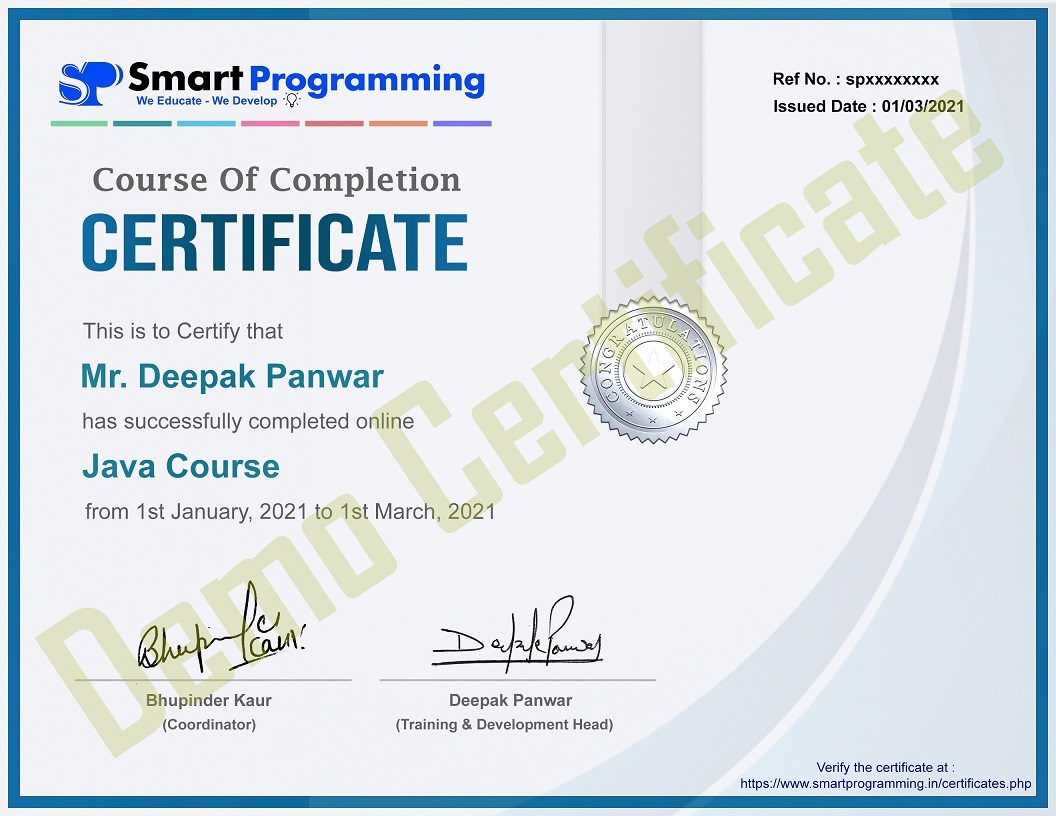
Get ISO Based Certificate

We provide you an ISO based certificate from Smart Programming company, recognized and verified proof of your skills and course completion.

Smart Programming ISO Based Certificate
Smart Programming ISO Based Certificate - Full View

Frequently Asked Questions

Have questions about the MERN Stack Online Training? We’ve got answers.

Is this training suitable for beginners?
Yes, this training is designed for absolute beginners as well as students who want to strengthen their web development fundamentals. We start from the basics and gradually move to advanced topics.
Will I get placement support?
Yes. We provide dedicated placement support including resume building, mock interviews, interview preparation and referrals to our hiring partner companies.
Are recordings provided?
Yes, recordings of every live session are shared so you can revise concepts anytime and never miss out even if you join a session late.
Are projects included?
Absolutely. The course includes multiple mini projects and one major capstone project to help you apply everything you learn and build a strong portfolio.
What is the training duration?
The training runs Monday to Friday for 2 hours daily. The duration and start date of the current batch are shown in the batch details at the top of this page.
Will interview preparation be covered?
Yes, a dedicated module covers commonly asked MERN Stack interview questions, mock interviews and resume/LinkedIn optimisation to get you interview-ready.
Is there a certificate?
Yes, upon successful completion of the training and the major project, you’ll receive a Smart Programming certificate of completion.
Hello Coder, how can I help you ?